Creating a Super App to Help Democratize Fishing
The Lunker Log is an entrepreneurial venture of mine, an up-and-coming fishing platform, super app, service and community that benefits aspiring anglers, seasoned veterans and professional guides/outfitters alike in achieving a more enjoyable and productive fishing experience through AI, the access of historical and scientific angling insights and know-how as well as real-time, data-driven analytics and a host of other in-app and community features – all of which help facilitate more productive fishing engagements for all anglers and fishing related businesses alike. It is also a Best of App Design 2025 award winner!

Project Type
Entrepreneurial
Super App, Website, Platford
Role
Branding
Design System Creation
Creative Direction
Custom Iconography
Journey Maps
Personas
Prototypes
User Research
User Testing
UX/UI Design
Wireframes
Tools
Adobe CC
Figma
Usertesting.com
Opportunity
As an avid angler, I’m often approached by friends and parents with questions like, “Where’s a good spot to take my kids fishing?” “What gear should I use?” “Do I need a fishing license?” “Can my kids tag along with you and your boys?” or even, “Would you just come with us to help?”
The truth is, I’m not as much of an expert on some of these details as they might think. And let’s face it—taking kids fishing, especially if they aren’t your own, requires a lot of time, patience, and preparation.
So, how do we make fishing more accessible and enjoyable for everyone—from curious beginners to seasoned pros and professional guides? That’s where The Lunker Log comes in. It’s a platform and super app designed to democratize fishing, providing tools, knowledge, and community features to enhance every angler’s experience.
Top Challenges
After considerable research along with my own personal experience and frustrations, several common challenges arose and were consistently reported by anglers of all types during.
Overly Complex Apps: The majority of anglers and aspiring anglers that were studied reported existing apps were overly bloated, complex and frustrating.
Choosing The Right Equipment: New and aspiring anglers often struggle to select, understand, and properly use fishing tackle and gear because of the overwhelming variety of rods, reels, lines, lures, other baits and accessories available.
Managing, Understanding and Using Tackle: Many anglers have several tackle boxes and/or interchangeable trays making it difficult to know what lures and baits they currently own and which they need more of. Most also gravitate to a handful of baits due to not knowing how to use their other baits properly and when.
Identifying Fishing Spots: Knowing where to go and what to throw for each species requires reading water conditions, structure, and fish behavior, which is difficult because these factors constantly change and much of what matters lies hidden beneath the surface.
Tying Knots Correctly: Struggling to remember and properly tie reliable fishing knots, leading to lost fish and lost tackle..
Weather and Environmental Conditions: Interpreting weather patterns and water conditions to determine the best fishing times, gear and techniques can be challenging.
Species Identification: Recognizing different fish species, and understanding their habits and habitats requires research and experience.
Regulation and Compliance: Navigating fishing licenses, regulations, and conservation rules can be complex especially for newcomers.
Community Engagement: Building relationships with other fishermen and tapping into local fishing know-how and communities can be daunting and often non-existent. Having access to local guides and outfitters was also coveted.
Safety Concerns: Ensuring safety while fishing, especially in unfamiliar or challenging environments, was an important concern for many, especially anglers with children.
85%
62%
97%
Expressed interest in a new app

Process
Research & Analysis: Initially, I crafted personas for the primary user types identified during the research and discovery phase. The consistent findings for user types from ethnographic research sessions were parents or 'mentors' attempting to teach others (particularly children) to fish better but lacked enough knowledge, youth preteens to early 20s anglers who fished often but wanted to learn to fish more effectively independently and track their gear and data, and professional guides and outfitters who were seeking a platform to help with bookings and supplement their website and advertising costs.
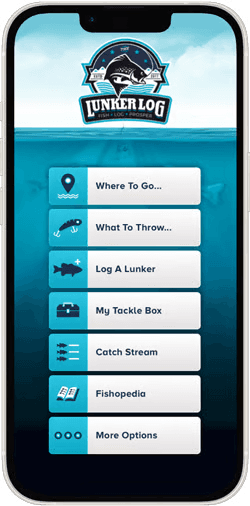
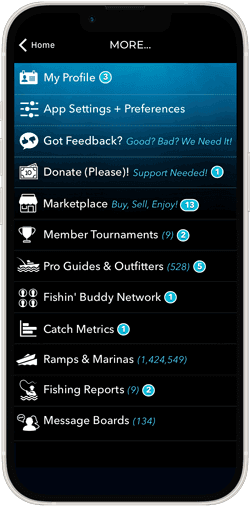
Information Architecture: Drawing from research insights and industry best practices, the app’s core features were prominently placed on the home screen, creating a central hub where various apps could coexist within a unified Super App experience. Secondary or more specialized features were grouped under a 'More' button, with a backlog prioritized according to user needs and preferences.
Wireframing & Prototyping: I began with low-fidelity wireframes to quickly explore layout and navigation options, iteratively refining them based on user feedback. I then progressed from low to high-fidelity interactive prototypes, which were tested directly with anglers in the field. Through multiple rounds of user research—including contextual inquiry and mobile ethnography—I validated the need for an app or service aimed at improving angler productivity. Refinements continued through several iterations of wireframe revisions informed by ongoing user testing and feedback, ultimately leading to finalized designs and prototypes.
Usability Testing: We conducted usability testing sessions with a diverse set of representative users to validate our design decisions, assess task completion rates, and uncover friction points in the user experience. Employing moderated and unmoderated tests, we gathered qualitative and quantitative data on user behavior, preferences, and pain points. Leveraging these insights, we refined and iterated our designs, addressing usability challenges and optimizing critical interactions to enhance overall effectiveness, efficiency and user satisfaction.
Visual Design & Design System: After rounds of wires and reviews, the design process began. I developed a cohesive visual language, including color schemes, typography, and iconography, ensuring consistency throughout the app. I also created a design system to maintain design consistency in future updates.
Hundreds of screens were designed section by section based on user rankings. Positive feedback led to new suggestions and improvement pivots. A cross-sampling of anticipated sections is shown below.
The Lunker Log, a “fishing super app,” will release iteratively based upon identified use cases such as gear management and purchasing, catch logging, fishing spot and species identification, boat ramp locations, weather and water conditions, bait and technique recommendations, guide suggestions, catch galleries, and more.
Product Development: The initial development partner couldn't meet our vision and deliver on their commitments, so I've pivoted swiftly and am now collaborating with an exceptional new team specializing in web, iOS, and Android development. We're currently enhancing and finalizing the app and website, pushing forward to launch the app and fully bring our product to market soon.
“Where can I take my kids fishing like my father did when I was younger and what should I use?”

Paul Standich
Father | Aspiring Angler
App Architecture & Wires
App architecture diagrams, user flows and hundreds of wireframes were designed prior to moving onto both low and high fidelity designs and prototypes.

User & Data Flows


App Screen Samples
The Lunker Log combines the power of over 7 fishing apps into one 'Super App' and ultimate angling platform. Discover prime fishing locations and effective techniques, record your catches, manage and order gear, master specialty fishing knots and so much more. Easily locate boat launches, outfitters, and experienced fishing guides. Plus, enhance your angling skills by learning about a variety of freshwater and saltwater fish species and how best to reel them in.
Loading Screen
Login

Home Screen
More…
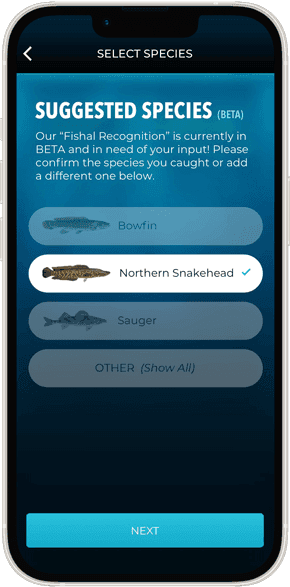
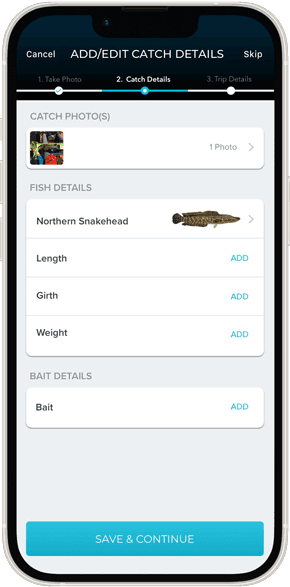
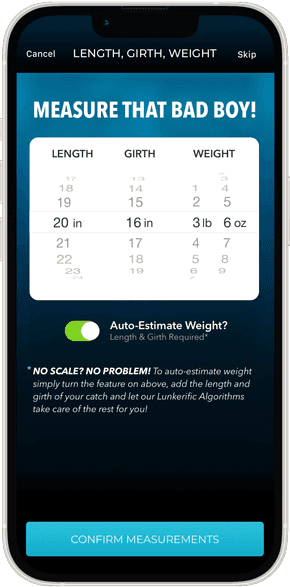
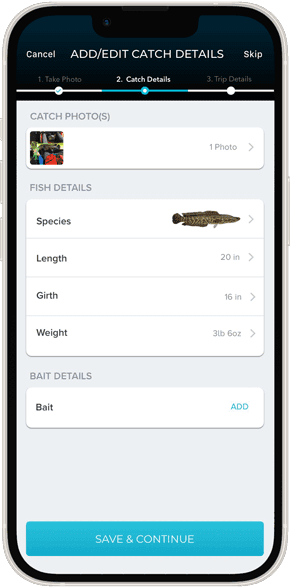
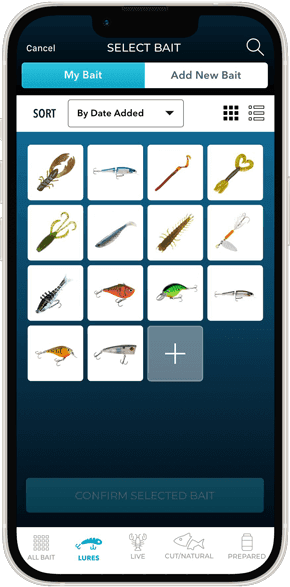
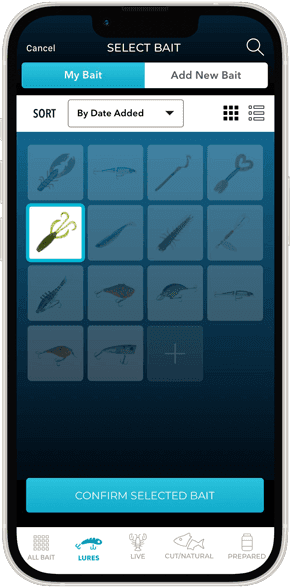
Anglers take a photo of their catch with their phone which is then analyzed for species with AI. Weather, location, time and date are automatically captured. Users can then add other relevant data about the location, species, size, tackle used, etc. to keep track and analyze their successes and failures over time to help identify trends for future success and compare with others.
Talke Photo
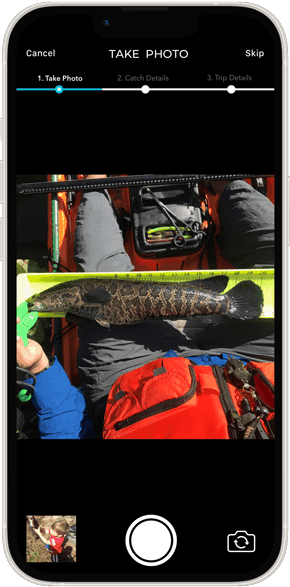
AI Identification
Catch Details
Catch Metrics
Details Added
Select/Add Bait
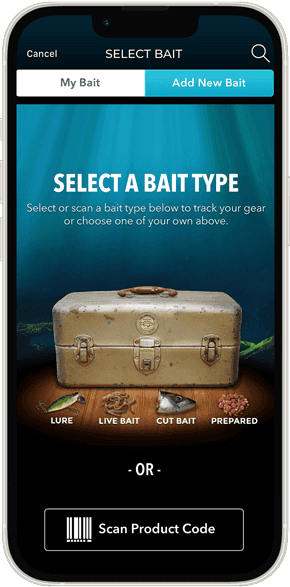
Log Existing Bait
Confirm Bait
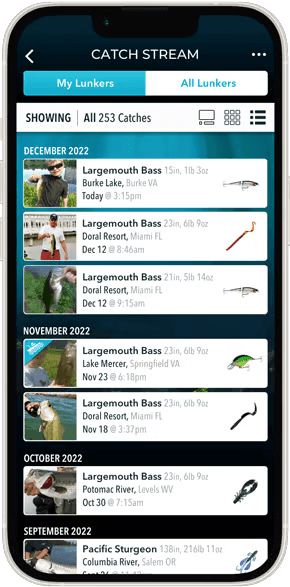
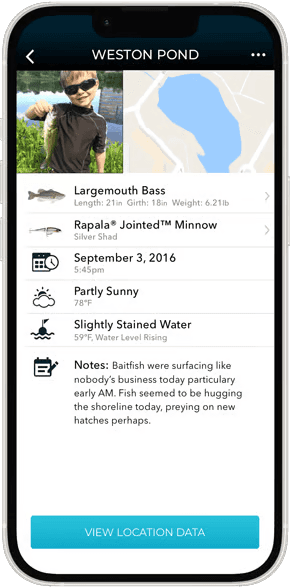
The Catch Stream allows users to explore, analyze and share your catch data in many ways or keep it all private... it's up to each user. The more you log, the better your predictive fishing matrix becomes.
Card View
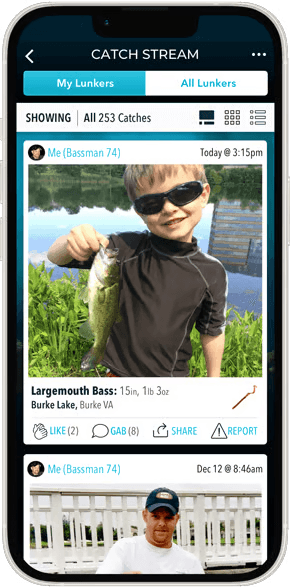
Grid View
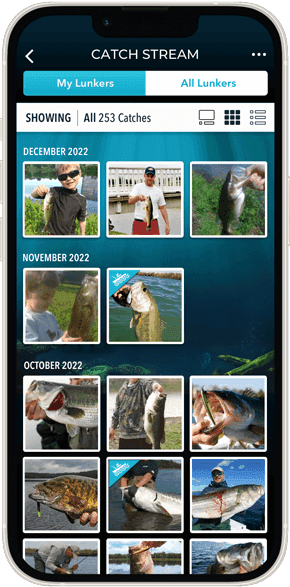
List View
Catch Details
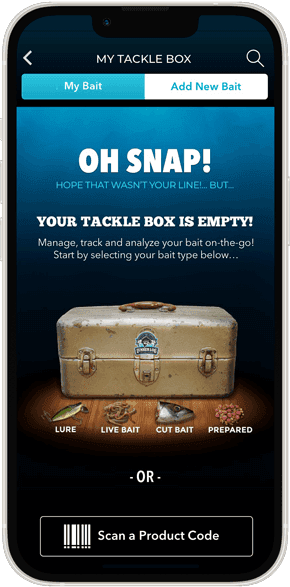
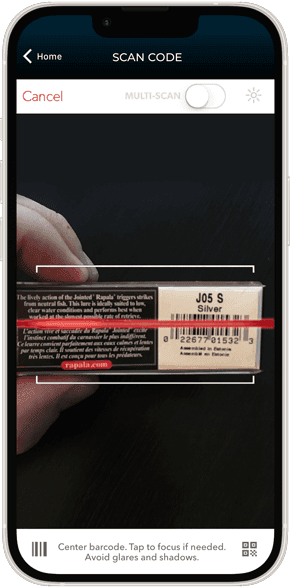
Add, remove, track, analyze, order and review your tackle as needed. Keep your digital and real-word tackle inventory aligned and up-to-date. Purchase lures and bait that you may be running low on - or that may be trending - all in one place!
Empty State
Scan to Add
Manual Body Style
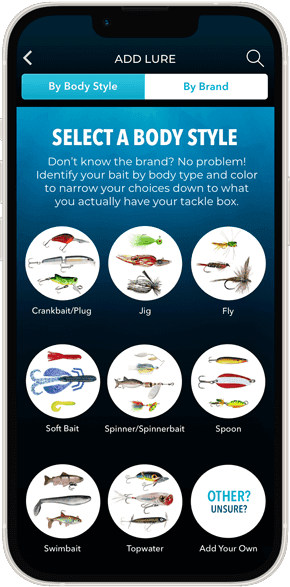
Body Selected
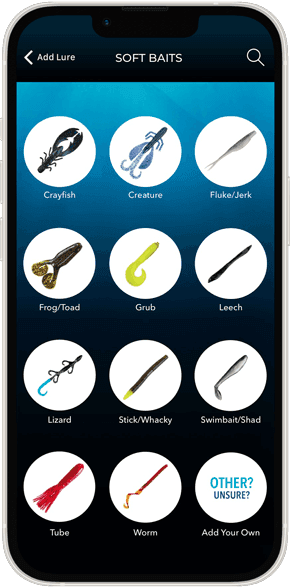
Lure View

Live Bait VIew
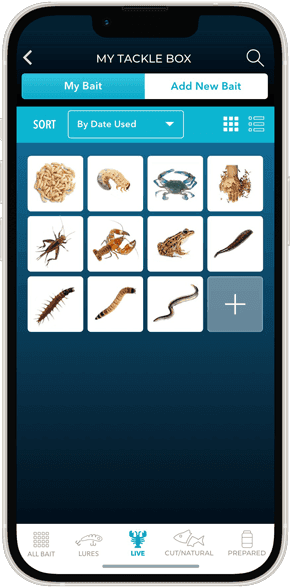
Cut Bait View
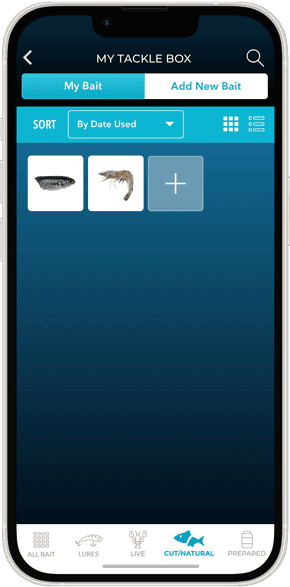
Prepared Bait View

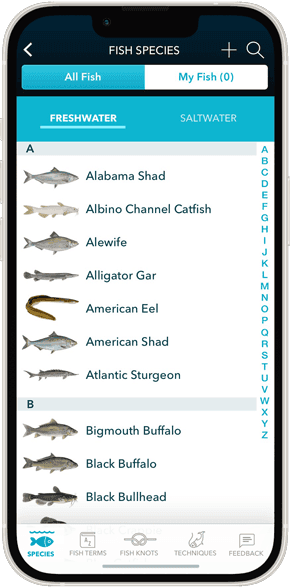
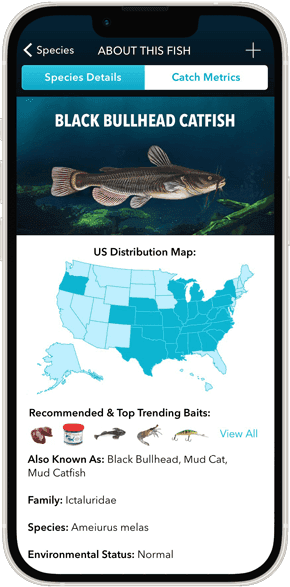
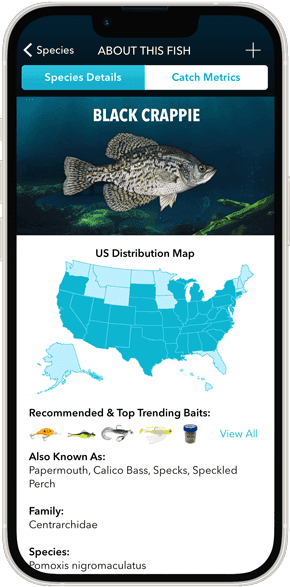
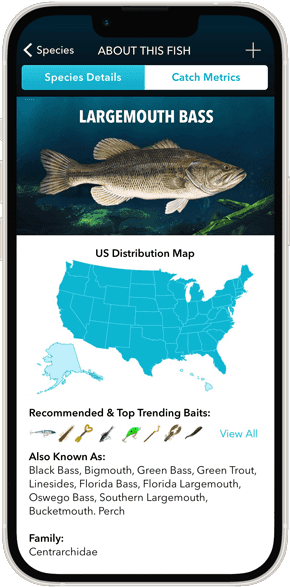
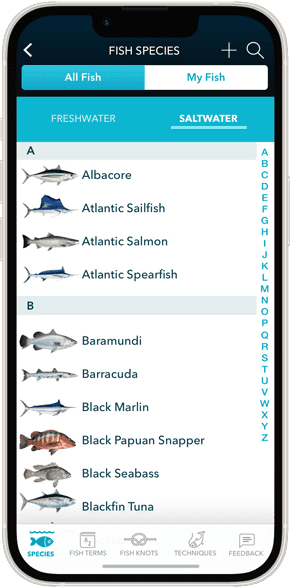
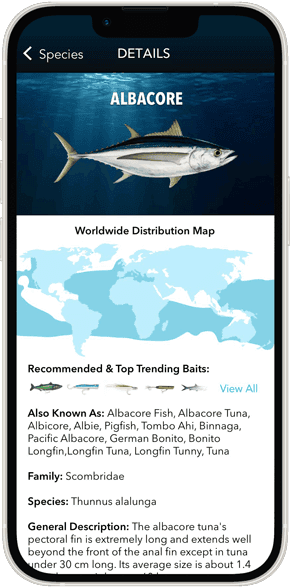
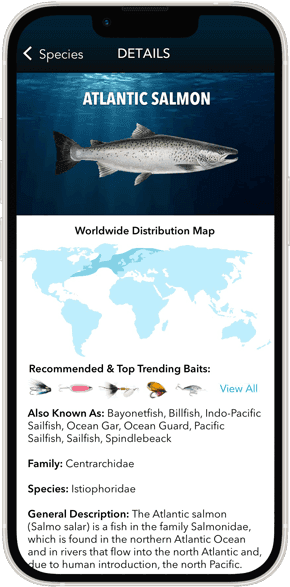
Fishopedia is the section of the app that has an indexed and searchable pocket fishing guide complete with fish species, range maps, hand illustrated specialty fishing knot instructions among other tips and techniques to help users locate and land more fish.
Species Tab (Freshwater)
Freshwater Fish
Species Details
Species Details
Species Details
Species Tab (Saltwater)
Saltwater Fish
Species Details
Species Details
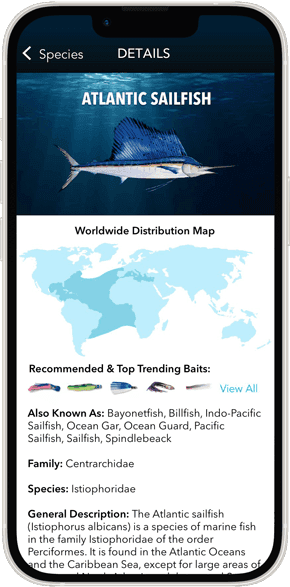
Species Details
Knot Tying Guide
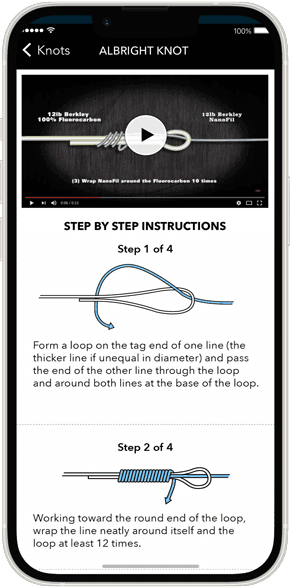
Custom illustrated step by step knot tying guide with instruction videos.
Main Knot Screen
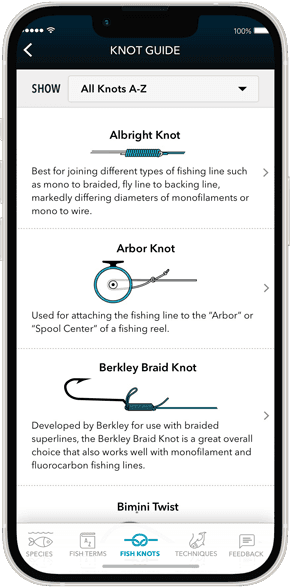
Arbor Knot

Albright Knot
More Samples Available…
I am in the process of redesigning this site, and there is a lot more I can add here, but thought it was far enough along to release into the wild. Check back soon or drop me a line below.